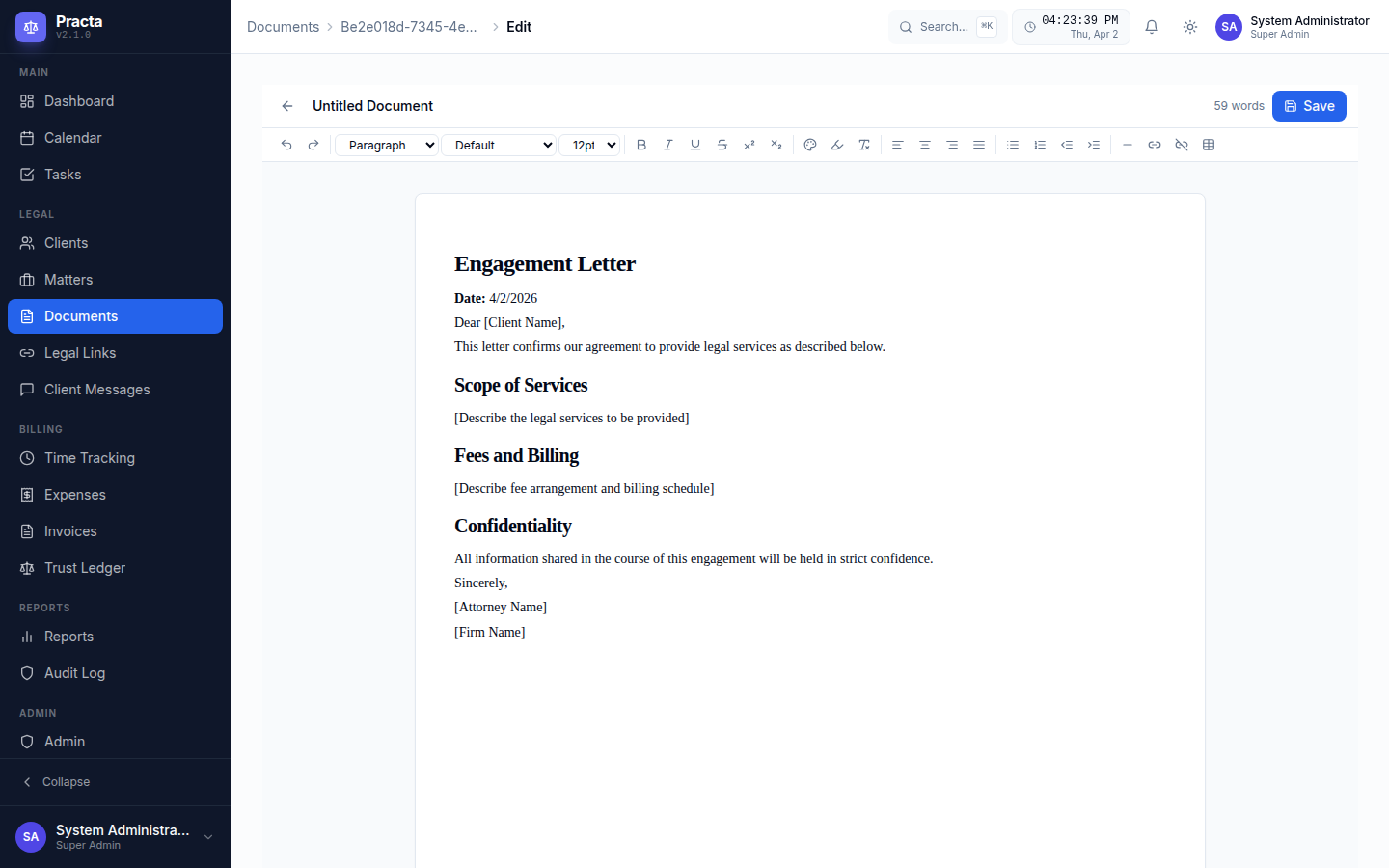
The Practa document center — rich text editing, AI drafting, templates, and multi-format export.
Practa is built from the ground up for modern law firms. Here's a complete look at every capability — from your first client intake to your final trust account reconciliation.
The Practa document center — rich text editing, AI drafting, templates, and multi-format export.
Run your entire practice from a single, organized hub
Live KPIs for active matters, unbilled hours, trust balances, open invoices, and task completion — all in one command center view.
Full lifecycle tracking from intake to close. Link documents, time entries, invoices, tasks, and communications to each matter automatically.
Toggle between list view and a visual kanban board. Five built-in intake columns — New, Contacted, Consultation Scheduled, Retained, Declined. Drag clients across stages, add notes, and track every prospect from first call to signed engagement.
Full-featured calendar with event creation, court dates, depositions, deadlines, and reminders. Sync across your entire team.
Assign tasks to team members, set due dates, add priorities, link to matters, and track completion status across the entire firm.
Instantly screen for conflicts across all clients, matters, opposing counsel, and related entities. Run searches before every new engagement.
Set SOL dates per matter. Receive multi-stage alerts (60/30/14/7/1 day warnings) so deadlines are never missed.
Six distinct roles: Super Admin, Admin, Attorney, Paralegal, Staff, and Client. Fine-grained permissions on every module and record.
Assign clients and cases to specific attorneys. Attorneys see only their assigned matters and clients — managers, office managers, and admins have full visibility across the firm. No more accidentally viewing another attorney's workload.
Build step-by-step workflow templates for any practice area — personal injury intake, contract review, litigation milestones, and more. Assign tasks, set triggers, and let the system automatically advance matters through each stage. Require formal attorney or office manager sign-off before a workflow can be closed. Admins manage templates firm-wide.
Complete activity trail for every user action — created clients, uploaded documents, changed settings, logged in, and more. Each entry shows resource name, action type, user, IP, and metadata. Fully searchable and filterable by user, action type, date range, or resource.
Admins configure exactly which practice areas the firm handles — toggle on/off from 30 pre-built areas including Personal Injury, Family Law, Criminal Defense, Immigration, Estate Planning, and more. Drives intake forms, matter classification, and workflow templates firm-wide.
Admins see a real-time list of every account with two-factor authentication disabled, directly on the main dashboard. Each flagged account links through to user management — no hunting through the user table to find the security gap.
Draft, store, manage, and send legal documents without leaving Practa
A full word-processor-style editor inside your browser. Formatting toolbar, headings, tables, bullet lists, numbered lists, and more.
Pre-built templates for Engagement Letters, Demand Letters, NDAs, Contracts, Retainer Agreements, and more. Add your own firm templates.
Insert client name, address, matter details, case number, and attorney info into any template with a single click. No copy-pasting.
Export any document to DOCX, ODT, PDF, XLSX, or ODS using a built-in LibreOffice conversion engine. Professional formatting preserved every time.
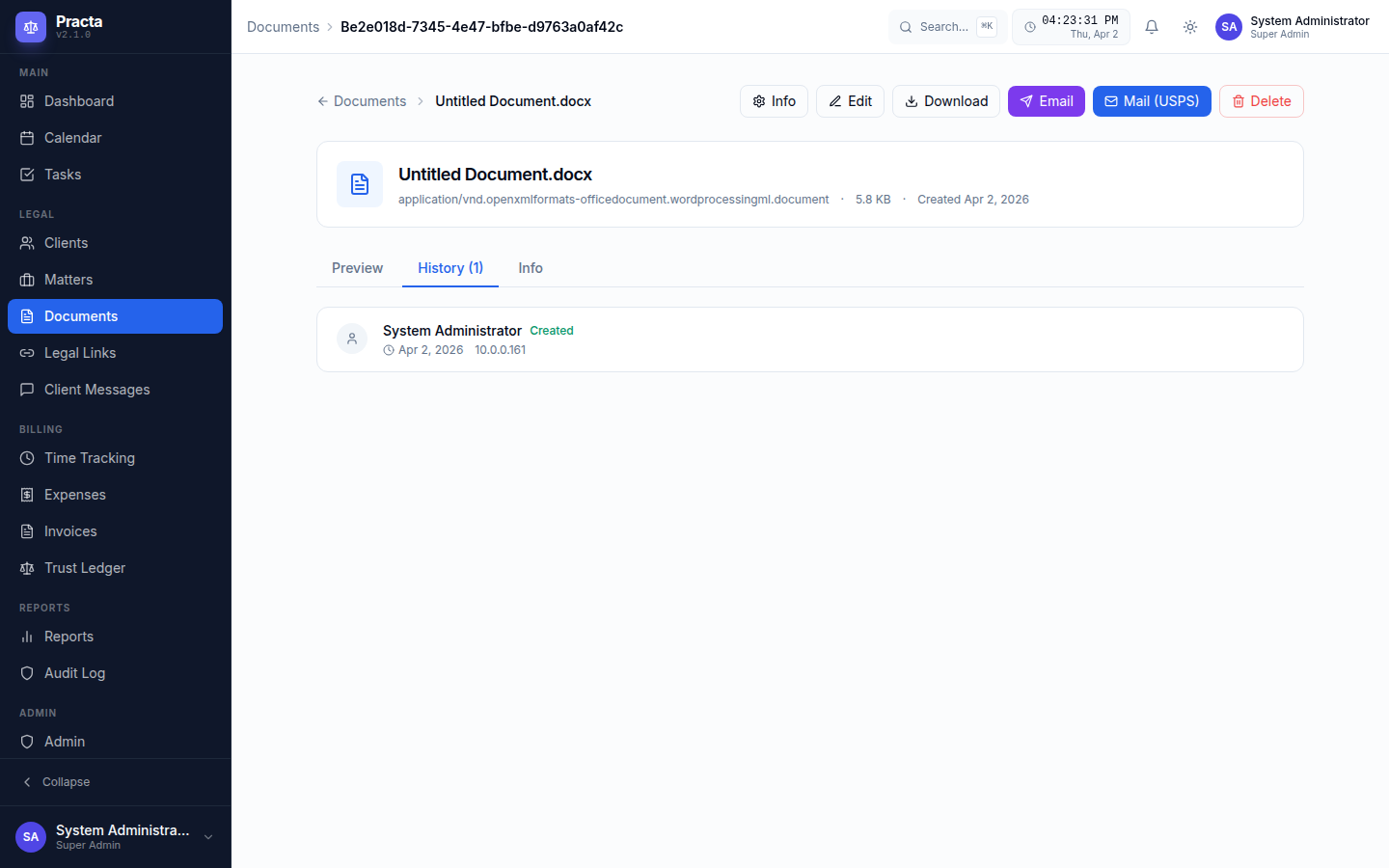
Every document revision is stored with author, timestamp, and change summary. Restore any prior version with one click.
Upload PDFs (rendered inline), images, video, audio, and Office documents. Preview without downloading — stored securely in MinIO object storage.
Extract text from scanned PDFs and image files using Tesseract and PyPDF2. Searchable, copyable text from any scan in seconds.
For handwritten notes and complex scanned documents, use AI vision models (Claude, GPT-4o, Gemini) to extract text with human-level accuracy.
Email any document directly from Practa with a custom message. Track delivery and opens. No switching to a separate email client.
Mail any document as a real letter directly from your browser — no printer, no envelopes, no stamps. Two delivery modes built in:
A full Excel-compatible spreadsheet editor inside Practa. Build settlement calculators, damage spreadsheets, and financial models — all linked to matters.
All files stored in managed MinIO object storage. S3-compatible, encrypted, and completely under your control.
Legal-specific diagrams built in — no third-party tools needed
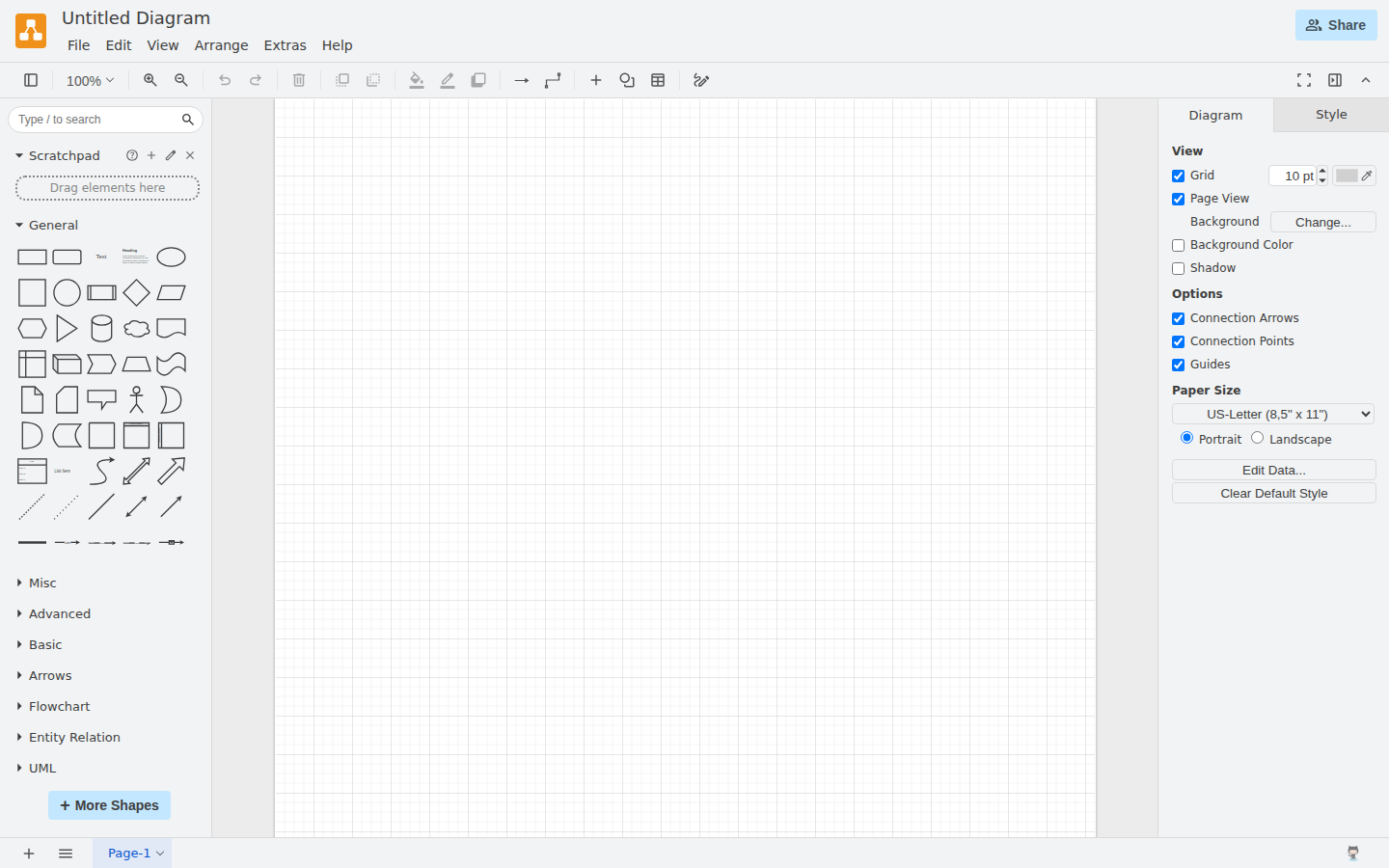
Practa includes a full draw.io-powered diagram editor with legal-specific templates. Create floor plans for premises liability cases, reconstruct traffic accident scenes, map out org charts, and build process flowcharts — all stored alongside your client files as first-class documents.
Type any address and instantly pull a real-world satellite view of the location. Use it as a base for your accident scene diagram — mark impact points, vehicle paths, and road conditions directly on the actual geography. Integrates with Google Maps and OpenStreetMap.
Pre-built road symbols, vehicle shapes, and directional markers. Recreate accident scenes for personal injury and insurance matters with precision.
Room shapes, walls, and architectural elements for premises liability, real estate, and property dispute cases.
Visualize corporate structures for business litigation, map decision flows, and build process diagrams for compliance work.
Diagrams are matter documents — version-controlled, linked to the right client, and accessible from any device. Not scattered across personal desktops.
Choose from legal-specific diagram templates — floor plans, traffic accident scenes, org charts, flowcharts, and more.
The full draw.io diagram editor is embedded directly in Practa. 10+ templates including flowcharts, org charts, floor plans, traffic accident diagrams, ER diagrams, network diagrams, and more. No browser extensions, no account sign-ups, no external tabs — it just works.
Start from templates designed for legal work: traffic accident scenes, floor plans, org charts, process flowcharts, and timelines — not generic business diagrams.
Diagrams are stored as documents attached to the matter. Clients, attorneys, and paralegals can all access them through the same document workflow.
Every revision of a diagram is saved with author and timestamp. Review how a scene diagram evolved, or restore a prior version at any time.
Export any diagram as a high-resolution PNG or scalable SVG for court filings, slide decks, or sending to opposing counsel.
Stop paying for Lucidchart or Visio. Everything you need to visualize a case is built into the same platform you use every day.
Step-by-step guided processes for every practice area — built-in templates, fully customizable, progress-tracked
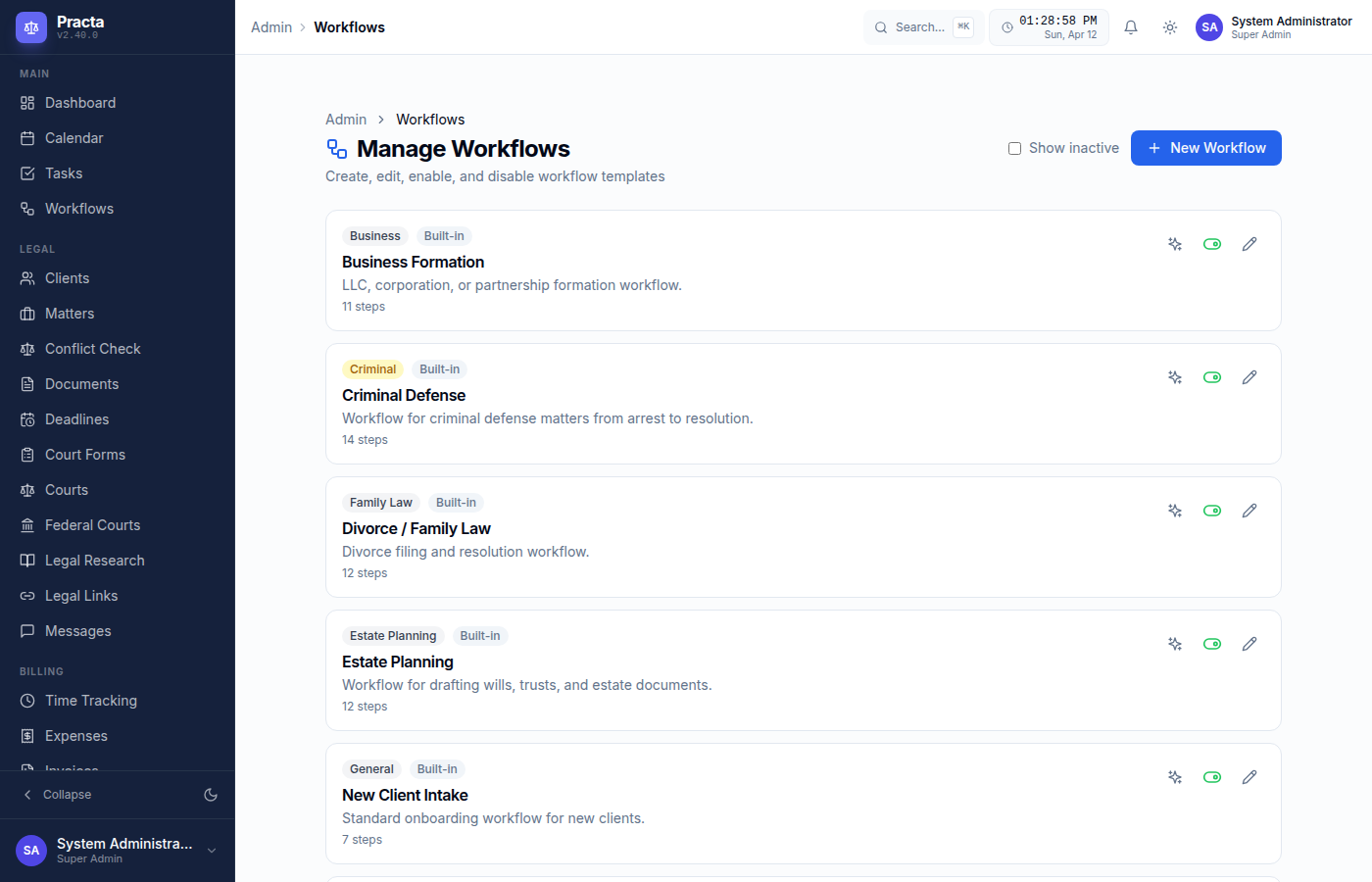
Personal Injury, Estate Planning, Criminal Defense, Divorce, Real Estate, Business Formation, and New Client Intake — ready to use on day one.
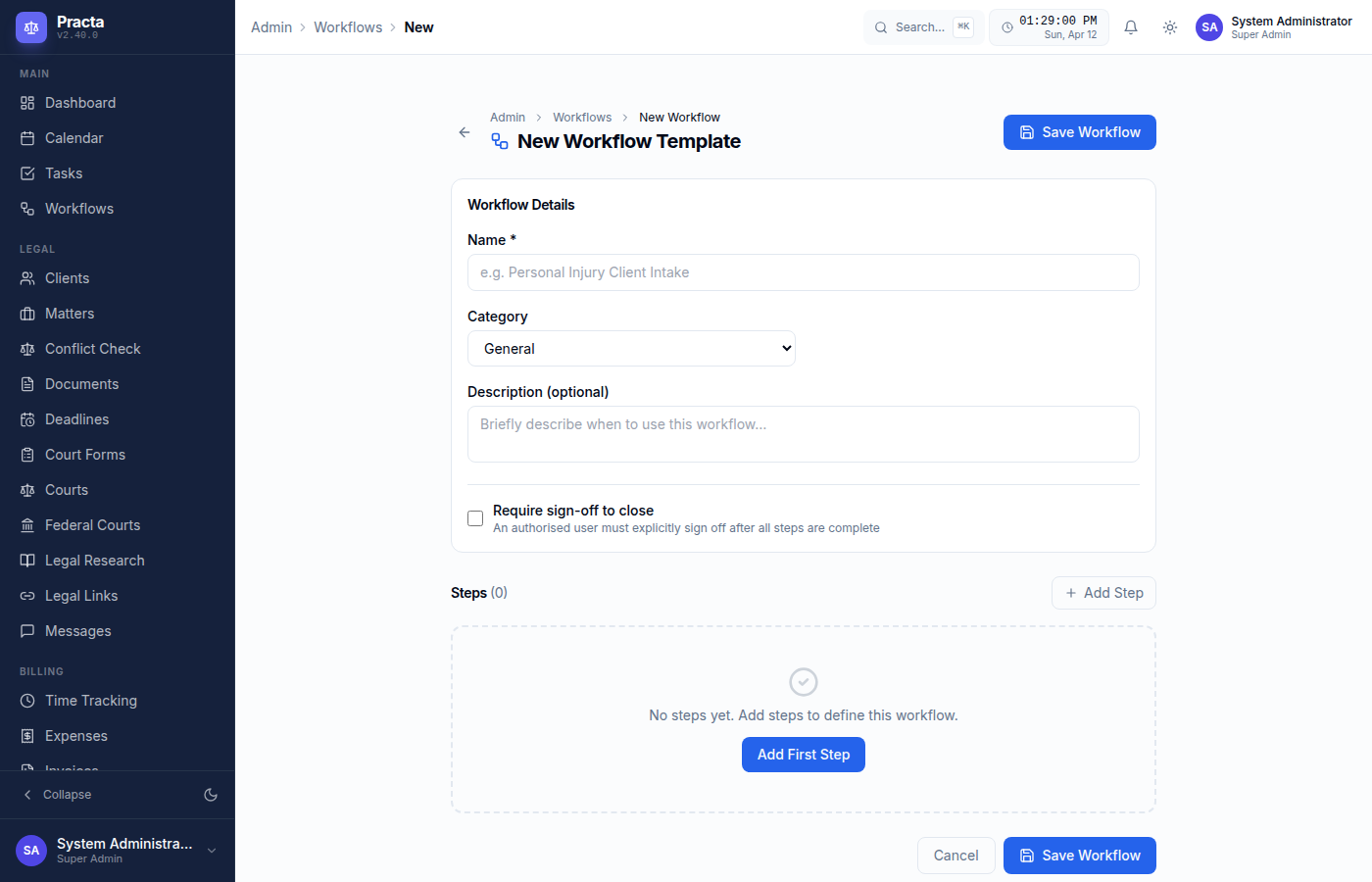
Tenant admins can create new workflows, add or reorder steps, change step types (task, document, email, approval, deadline), and enable or disable templates.
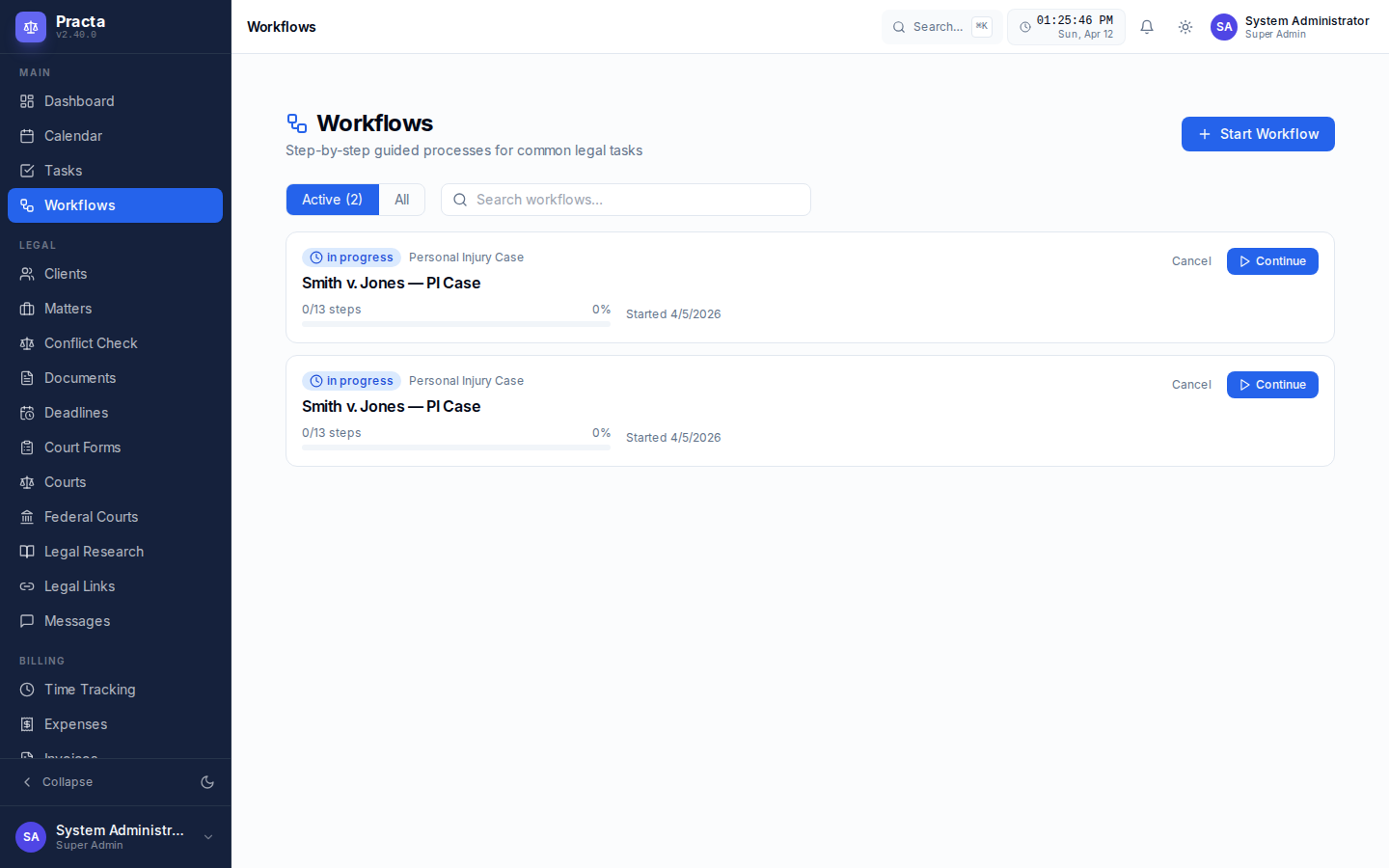
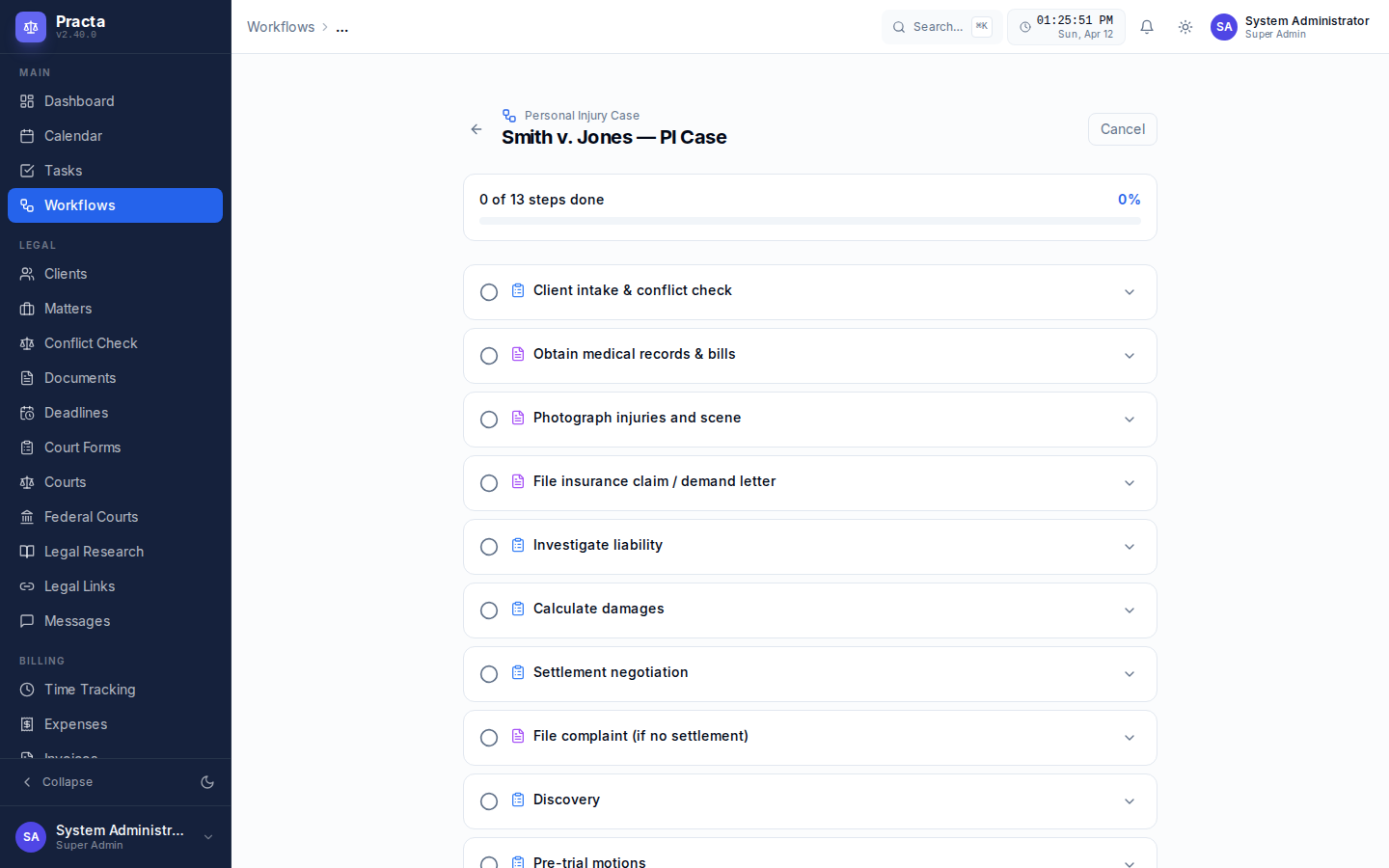
Each workflow run tracks step-by-step completion with timestamps, optional notes per step, skip support, and an overall progress bar. Multiple active workflows per matter.
Link any workflow run to a specific client and matter. Filter your active workflows by matter or client to stay organized across your caseload.
Regular users can start and track workflows, but only tenant admins can create, edit, or disable templates — keeping your firm's process standards consistent.
Task, Document, Email, Event, Deadline, Note, Approval, and Checklist — each step type has a distinct icon so your team knows exactly what action is needed.
Workflow templates can require formal sign-off before closure. Only attorneys or designated office managers can sign off — ensuring every completed matter workflow has been reviewed and approved by an authorised professional, with timestamp and optional notes recorded.
Five AI providers, multi-provider compare, AI fact check, your keys, zero markup — the most flexible AI in legal tech
Practa connects directly to your personal API accounts. You pay OpenAI, Anthropic, Google, Groq, and Mistral directly — at their published rates. Practa adds zero markup. You choose which model handles each task.
Run the same draft prompt through multiple AI providers simultaneously. View GPT-4o, Claude, Gemini, Groq, and Mistral results side-by-side in one panel. Choose the best output without switching tabs or accounts.
One-click fact verification on any AI-drafted document. Identifies every factual claim and rates it Accurate, Uncertain, or Incorrect — with explanations and confidence levels. Essential for client-facing filings.
Search millions of court opinions without leaving your case — free, no per-search fees
Search the full CourtListener database — over 10 million federal and state court opinions — without switching tabs or paying per-search fees. Filter by court, date, and jurisdiction. Draft a brief from any case result with one click.
Court forms, PACER integration, secure file requests, and more
Federal and state court form templates auto-filled from matter and client data. Preview, edit, and generate PDF-ready documents in one click. Custom form builder included.
Connect your PACER credentials to search all 94 federal district and bankruptcy courts. Link PACER cases directly to matters. Full docket browsing without leaving Practa.
Send clients a secure, token-based upload link. They upload documents directly to the matter without needing a portal account. Perfect for intake and evidence collection.
Unified SMS and email inbox with configurable routing rules. Automatically assign inbound messages to matters or attorneys based on sender, subject, or keywords. Full message history per client.
Curated directory of legal resources organized by jurisdiction and practice area. Add, edit, and share bookmarks across the firm — court websites, bar associations, statutory databases, and more.
Search across all records — matters, clients, documents (including OCR text), communications, tasks, and tickets — from a single search bar. Results ranked by relevance.
Complete legal accounting including IOLTA trust ledger compliance
Matter-linked time entries with start/stop timer or manual entry. Track hourly, flat-fee, and contingency matters. View by attorney, matter, or date range.
Log expenses by category (filing fees, travel, expert witnesses, etc.) linked to matters. Mark billable or non-billable. Attach receipts.
Generate professional invoices from time and expense entries. Customize firm branding. Send via email or portal. Track paid / outstanding status.
Per-client trust sub-ledger, three-way reconciliation, and bar-compliant reporting. Know your trust position at all times. Protect your license.
Revenue by attorney, matter profitability, accounts receivable aging, collections summary, and trust account reports — export to PDF or spreadsheet.
Track retainer balances, apply fees against retainers automatically, and alert clients when replenishment is needed.
Every security control listed here is implemented in production code — verified, not marketing copy
Every firm runs on its own dedicated virtual machine — no shared infrastructure with any other law firm. Separate database, separate storage, separate network stack. True hardware-level isolation, not just application-layer separation. No other firm's data ever touches your server.
Protect every account with TOTP (Google Authenticator, Authy, 1Password, any RFC 6238 app) or SMS via Twilio. Admins can monitor which accounts have 2FA enabled from the dashboard — accounts without it are flagged with a warning.
Short-lived access tokens (30 min) with secure 7-day rotating refresh tokens stored in Redis. Tokens are invalidated immediately on logout — no waiting for expiry. Refresh token reuse is detected and rejected.
Redis-backed IP-level brute-force protection. 5 failed login attempts within 5 minutes triggers a 1-hour IP block. Separate account lockout after 5 failures (15-min lockout). Admin dashboard shows blocked IPs with TTL and manual unblock.
Restrict platform access to specific countries using GeoIP lookup. Configure allowed countries (ISO codes) from the Settings dashboard. Blocks at the middleware layer before any authentication — private and internal IPs always bypass for health checks and certificate renewals.
Restrict platform access to specific IP addresses or CIDR ranges. Configurable per-tenant from the settings dashboard. ACME certificate renewals and health checks are always bypassed so your SSL certificates never expire silently.
Passwords are hashed with Argon2id — the winner of the Password Hashing Competition and recommended by OWASP. Parameters: 64 MB memory, 3 iterations, parallelism 4. Minimum password: 12 characters with uppercase, lowercase, digit, and special character.
SSL 3.0, TLS 1.0, and TLS 1.1 are disabled. Production enforces ECDHE cipher suites (AES-128-GCM, AES-256-GCM, ChaCha20-Poly1305) with perfect forward secrecy. HSTS enforced for 1 year including subdomains via nginx. Let's Encrypt support built in — run make ssl to issue a certificate.
All responses include: X-Frame-Options: SAMEORIGIN, X-Content-Type-Options: nosniff, Referrer-Policy: strict-origin-when-cross-origin, Permissions-Policy disabling camera, microphone, geolocation, and payment APIs.
Nginx enforces per-IP rate limits at the network layer: 5 req/min on all auth endpoints, 10 req/min on file uploads, 30 req/min on the general API. Returns HTTP 429. Connection limits per IP are enforced separately.
Nginx blocks known vulnerability scanners by User-Agent (masscan, nikto, sqlmap, nmap, nessus, OpenVAS, Burp Suite). Blocks empty User-Agent headers, path traversal attempts (../, URL-encoded variants), and direct requests to common exploit paths (.env, .git, wp-admin, phpMyAdmin).
All database access uses SQLAlchemy ORM with parameterized queries — no raw SQL string concatenation anywhere in the codebase. PostgreSQL with asyncpg driver. Input validated through Pydantic v2 schemas before reaching the database layer.
Strict MIME type whitelist — only documents, images, audio, and video allowed. Executables, scripts, and archives rejected at the API layer (HTTP 415). Max 50 MB per file. Files stored in MinIO (S3-compatible) with UUID-keyed object paths to prevent enumeration. Downloads require signed time-limited tokens.
Every significant action is recorded: logins, logouts, failed logins, user creation/deletion, role changes, 2FA events, client/matter/document operations, settings changes, API key issuance, data exports. Each entry captures user, IP address, User-Agent, resource, and structured metadata. Append-only — no update column.
Client communications are stored in an isolated, multi-tenant database with row-level tenant separation. Clients only see messages explicitly shared with them through the portal. TLS encrypts all data in transit once SSL is configured. Attorney-client privilege is protected at every application layer.
Python dependencies scanned with Safety (CVE database for PyPI packages) and Bandit (SAST — static application security testing for common vulnerabilities: injection, hardcoded secrets, insecure deserialization). All package versions pinned in requirements.txt.
A secure, branded space your clients will actually use
Clients access their own portal under your subdomain. Your firm's name and branding — not Practa's. Professional from the first login.
Clients authenticate with email + TOTP two-factor authentication. Protects privileged communications even if a client's email is compromised.
Share specific documents with clients. They view and download files shared by the firm — nothing else is visible. Controlled and audited access.
Encrypted messaging between attorneys and clients inside the portal. Keeps privileged communications out of personal email inboxes.
Optionally show clients their matter status, upcoming events, and key dates — reducing "what's happening with my case?" calls by up to 70%.
Built-in platform support ticket system for reporting issues directly to the platform admin. Users submit tickets from inside the application. Staff respond via the dashboard. AI can draft initial responses for staff review. No third-party helpdesk needed.
Real screenshots from inside Practa — the AI OCR button, built-in diagram editor, USPS mail integration, document audit trail, and more. These aren't mockups.
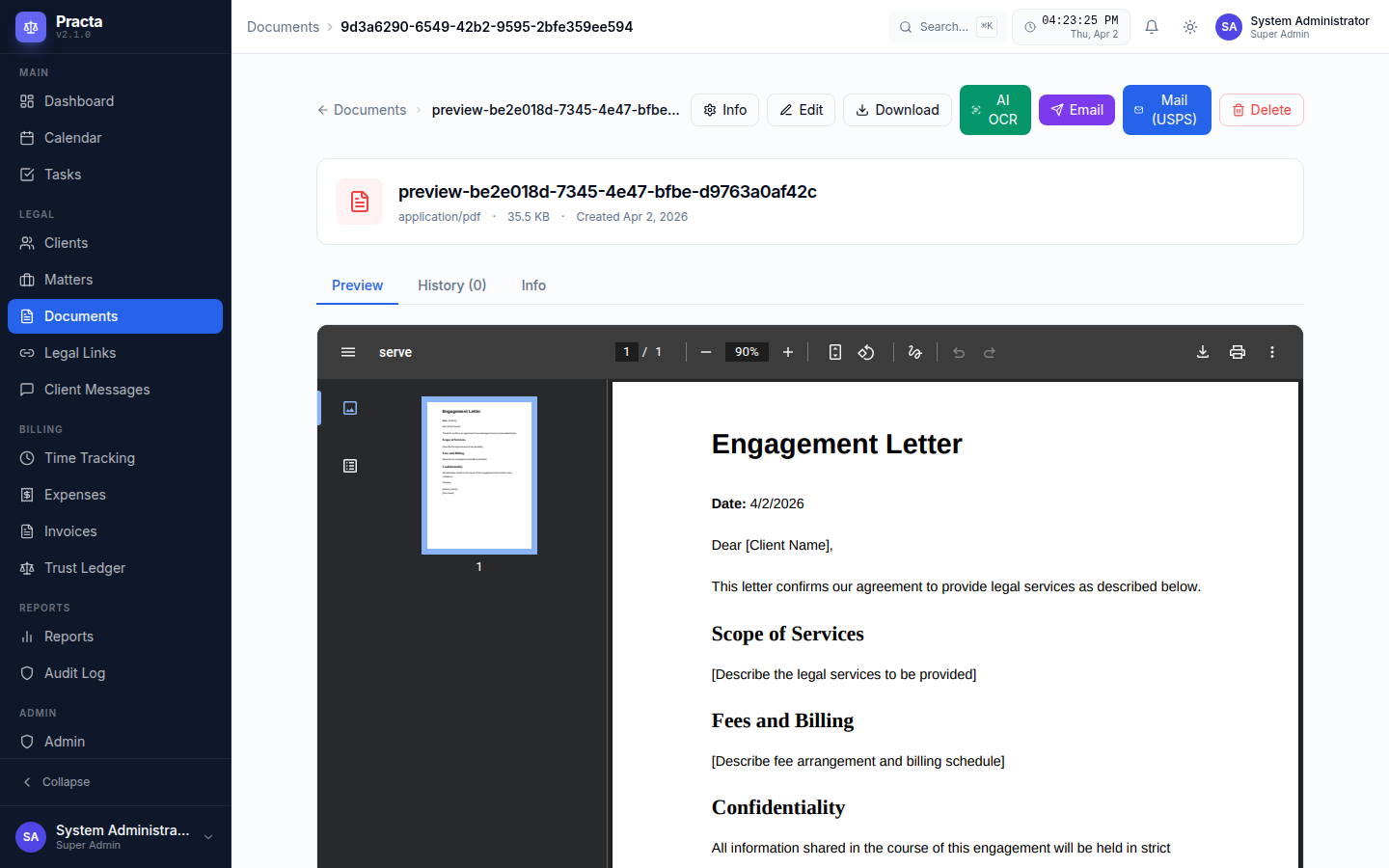
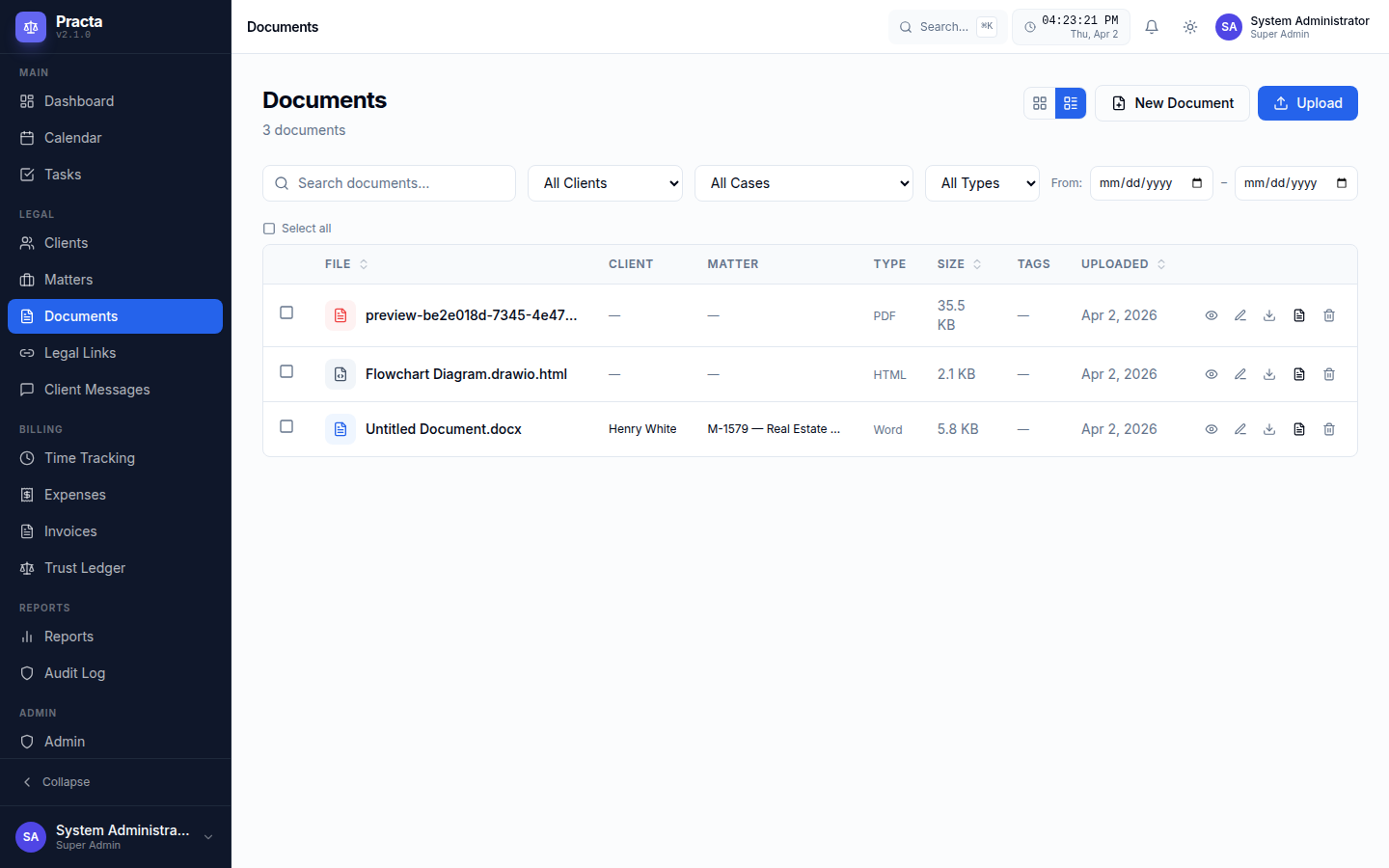
Every document in Practa has a full action toolbar. The AI OCR button sends the document to GPT-4o Vision, Claude, or Gemini to extract text from scanned or image-based PDFs — far beyond traditional OCR. The Mail (USPS) button sends it as a real physical letter via Lob.com without you ever touching a printer.
Every document change is logged — who edited it, when, and what changed. The History tab on each document shows the full version timeline with author attribution. Critical for malpractice defense, e-discovery, and bar compliance.
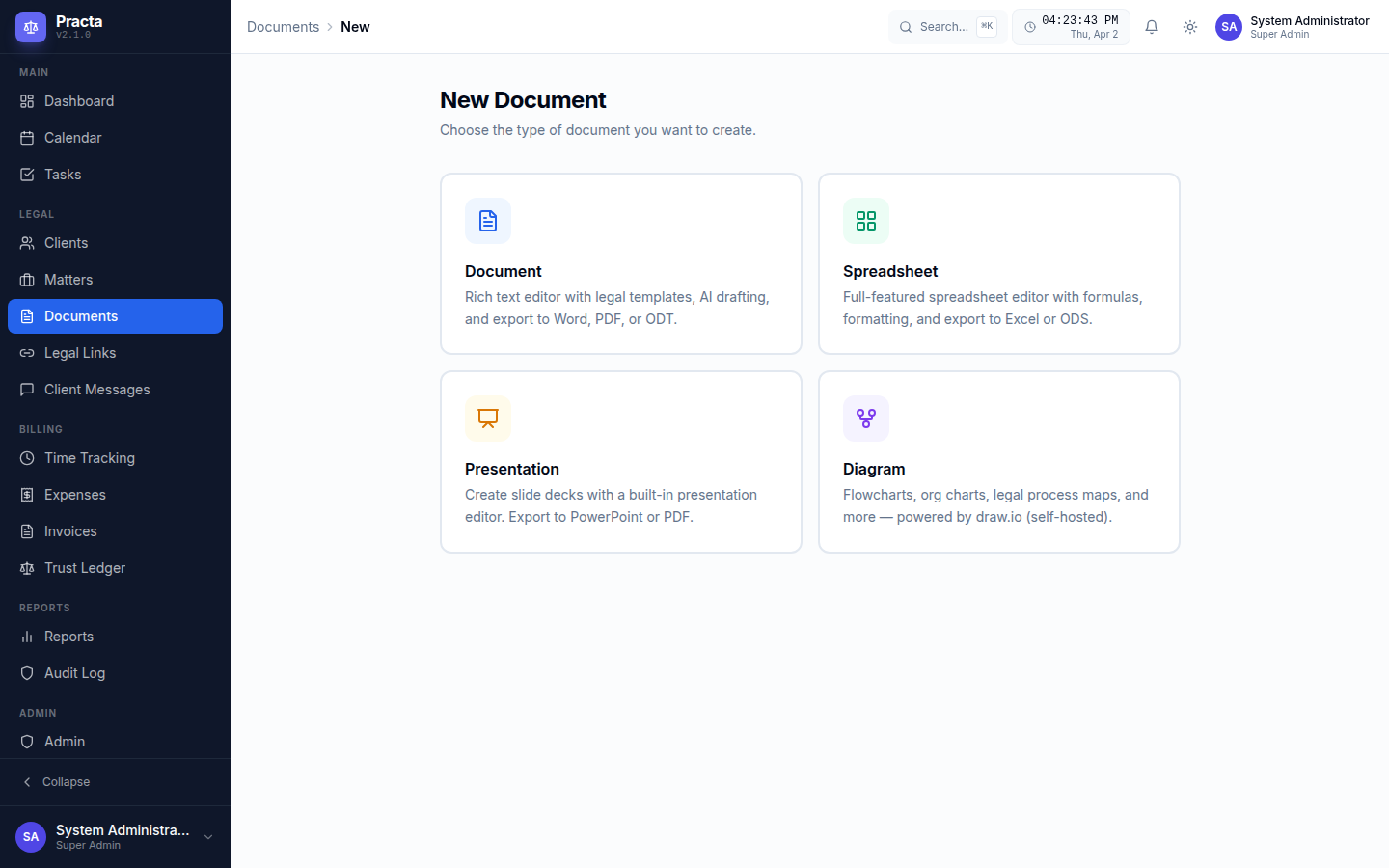
When you hit "New Document," Practa asks what kind you want: a full rich-text Document with AI drafting and legal templates, a Spreadsheet for damages tables, a Diagram for scene reconstruction, or an Upload to bring in an existing file with OCR processing.
The Practa document editor handles real .docx files in-browser — no Microsoft Word license needed. Full formatting toolbar, styles, tables, and headers. Use AI drafting to generate a contract, motion, or letter from a prompt, then export to DOCX, PDF, or ODT.
The full draw.io diagramming engine is embedded directly in Practa — no browser extensions, no third-party sign-ups. Start from legal-specific templates like traffic accident scene reconstruction, premises floor plans, org charts for business litigation, or process flowcharts for compliance work.
Practa includes 7 built-in legal workflow templates — Personal Injury, Estate Planning, Criminal Defense, Divorce, Real Estate, Business Formation, and New Client Intake. Start any workflow in seconds, track each step with notes, skip non-applicable steps, and see overall progress at a glance. Tenant admins can create new templates or customize the built-ins.
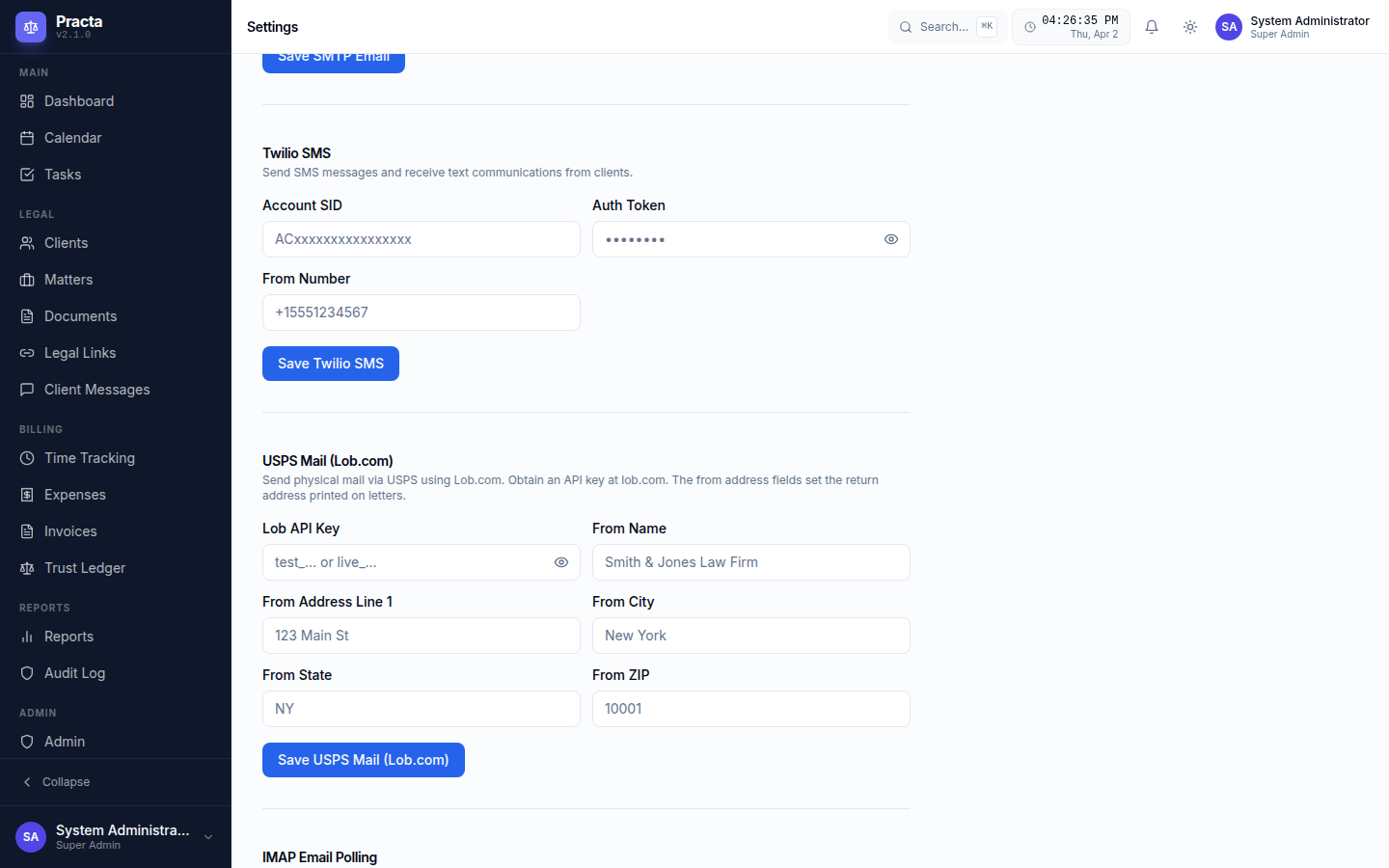
The Settings page is where Practa's integrations come alive. Configure your SMTP email, Twilio SMS, USPS mail via Lob.com, IMAP polling, AI provider and API key (choose from OpenAI, Anthropic, Google, Groq, or Mistral), and Microsoft OneDrive — all in one place.
Every feature ships in every plan — no tiers, no hidden upgrades. Contact us to get started.